
← All solutionsCoffee shops, eateries, restaurants and drink counters.
Strans POS for coffee shops and food businesses
Record orders, distinguish variants and service types, then reconcile cash at shift closing.
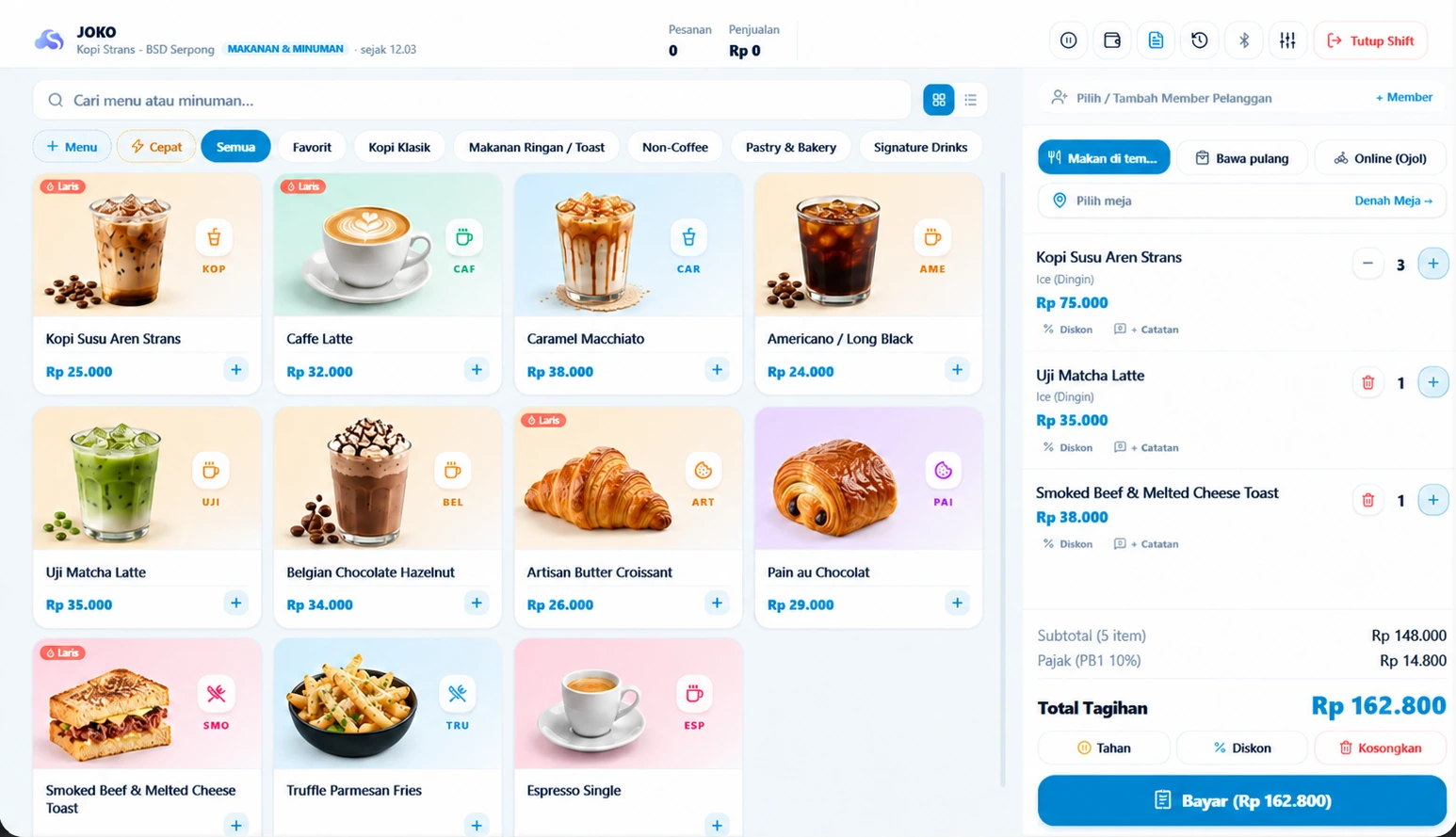
Make menus easy to choose
Group food and drinks. Set prices, size or flavor choices, then check availability at the serving outlet.
Distinguish orders during service
Use order types and tables when applicable. Review customer notes before payment; table, split-bill and kitchen features depend on the plan and outlet setup.
Finish by checking cash and ingredients
Count physical cash at shift closing. Configure recipes and units before relying on ingredient deductions or cost-of-goods calculations.
Test before operational use
- Test a menu item with variants and order notes.
- Test the actual checkout/kitchen printer.
- Check payment handling and synchronization when connectivity returns.
Choose the capacity you need
Start with Rintis for one outlet. Compare Toko for a small team and Cabang for multiple outlets or advanced features.